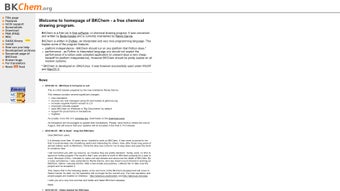

Download BKChem – free chemical drawing tool for Mac, Windows & Linux
Overview of BKChem
BKChem is a lightweight, open‑source vector graphics application built specifically for chemists, educators, and students who need to create precise schematic representations of chemical compounds. Although it was originally designed for macOS, the Python‑based engine makes it fully compatible with Windows and Linux distributions, giving it a cross‑platform reach that many niche scientific tools lack. BKChem’s core strength lies in its bond‑by‑bond drawing workflow, which forces each bond to follow predefined length and angle constraints, ensuring that the resulting structures are not only aesthetically pleasing but also chemically accurate.
The interface is intentionally minimalist: a toolbar hosts the most frequently used bond types (single, double, triple, aromatic) and a side panel displays atom properties such as charge, valence, and radical status. Users can also switch to a “linear formula” mode, which automatically aligns atoms in a straight line—useful for drawing polymer backbones or chain reactions. The built‑in library of default models includes popular rings and scaffolds like benzene, purine, cyclopentadiene, cyclopentane, and cycloheptane. These templates act as a starting point, letting users focus on customizing substituents rather than drawing each atom from scratch.
BKChem’s export capabilities are particularly robust for a free tool. You can save your drawings as Scalable Vector Graphics (SVG) for web use, Portable Document Format (PDF) for publishing, PNG for raster images, and a host of chemistry‑specific formats such as CML, SMILES, and Molfiles. This versatility makes BKChem an ideal bridge between academic research, teaching materials, and professional presentations. Moreover, the software is released under the GPL license, guaranteeing that users receive regular security updates and have the freedom to modify the source code if they wish.
Key Features of BKChem
- Bond‑by‑Bond Drawing Engine – Enforces exact bond lengths (1.5 Å by default) and standard angles (120°, 180°, 90°) to keep structures chemically valid.
- Pre‑loaded Molecular Templates – Instantly insert benzene, purine, cyclopentadiene, cyclopentane, cycloheptane, and more.
- Linear Formula Mode – Quickly generate chain structures with automatic alignment.
- Charge & Radical Support – Add formal charges, radicals, and isotopic labels directly from the toolbar.
- Multi‑Format Export – Save as SVG, PDF, PNG, OpenOffice Draw, ODF, CML, CML2, Molfiles, SMILES, and Encapsulated PostScript.
- Cross‑Platform Compatibility – Runs on macOS, Windows 7/10/11, and major Linux distributions (Ubuntu, Fedora, Debian).
- Open‑Source & Free – GPL‑licensed, with a vibrant community contributing plugins and bug fixes.
- Customizable Keyboard Shortcuts – Tailor the workflow to your personal preferences for faster drawing.
- Undo/Redo Stack – Unlimited steps back, ensuring experimental sketches can be safely explored.
Why These Features Matter for Chemists
When you are sketching a reaction mechanism or preparing a manuscript figure, accuracy and speed are non‑negotiable. BKChem’s bond‑by‑bond engine removes the guesswork that can lead to mis‑drawn angles, while the library of default models reduces repetitive work. Exporting directly to SMILES or CML lets you import the structure into computational chemistry packages without manual transcription, cutting down on data‑entry errors. The cross‑platform nature ensures that a research group spread across different operating systems can collaborate seamlessly, sharing BKChem files (.bkc) that retain all styling and annotation details.
Additionally, because BKChem is open source, institutions can audit the code for security compliance—a critical consideration for labs dealing with proprietary compounds. The ability to extend the software through Python scripts means that power users can automate repetitive tasks, such as batch‑generating a series of substituted benzene derivatives for a SAR study.
Installation, Usage & Compatibility
Step‑by‑Step Installation Guide
Downloading and installing BKChem is straightforward, regardless of your operating system:
- Visit the Official Website – Navigate to bkchem.org and click the “Download” button for your platform.
- Mac Users – Download the .dmg file, open it, and drag the BKChem icon into your Applications folder. macOS may prompt you to allow apps from unidentified developers; simply go to System Preferences → Security & Privacy and approve the app.
- Windows Users – Download the .exe installer. Run it with administrator rights, follow the wizard, and accept the default installation path (C:\Program Files\BKChem). Windows Defender may flag the installer; you can safely bypass this by selecting “More info” → “Run anyway”.
- Linux Users – Most distributions include BKChem in their repositories. For Ubuntu/Debian, open a terminal and type:
sudo apt-get update && sudo apt-get install bkchem. For Fedora, usesudo dnf install bkchem. If you prefer the latest version, download the source tarball, extract it, and runpython setup.py installafter installing the required dependencies (PyQt, OpenBabel). - First Launch – After installation, open BKChem. The welcome screen offers a quick tutorial that walks you through creating a simple molecule, adjusting bond angles, and exporting your first file.
System Requirements & Operating System Support
BKChem runs on modern versions of macOS (10.13 High Sierra and later), Windows 7/8/10/11 (64‑bit), and Linux kernels 3.10+. Minimum hardware requirements include a 1 GHz processor, 512 MB RAM, and at least 100 MB of free disk space for the application and temporary files. Because BKChem uses the Qt framework for its GUI, hardware acceleration is optional; it works well on laptops, desktops, and even older netbooks.
When working with large structures (e.g., polymers with >200 atoms), it’s advisable to allocate more RAM (1–2 GB) to avoid slowdown during rendering and export. BKChem also supports high‑resolution displays, scaling UI elements automatically on Retina or 4K screens.
Regular updates are released on the project’s GitHub page. Users can enable automatic update checks from the “Preferences” menu, ensuring they always have the latest bug fixes and security patches without manually downloading new installers.
Pros, Cons & Frequently Asked Questions
Pros
- Completely free and open‑source – no hidden fees.
- Accurate bond length and angle enforcement for chemically correct drawings.
- Extensive export options covering both graphic and chemical data formats.
- Cross‑platform support simplifies collaboration across macOS, Windows, and Linux.
- Built‑in library of common molecular templates accelerates workflow.
- Active community provides plugins, scripts, and timely updates.
Cons
- Interface may feel dated compared to commercial alternatives like ChemDraw.
- No built‑in 3D visualization; requires external tools for stereochemistry.
- Learning curve for the bond‑by‑bond system can be steep for absolute beginners.
- Limited built‑in support for advanced reaction mechanisms (arrows, reagents).
FAQ – Answers for New and Experienced Users
Is BKChem really free for commercial use?
Yes. BKChem is released under the GNU GPL license, which permits free use, modification, and distribution, even in commercial environments, as long as any derivative work also remains open‑source.Can I import existing chemical files (e.g., .mol, .sdf) into BKChem?
Yes. BKChem can open Molfile, SDF, and CML files via the “File → Import” menu. The program translates the 2‑D coordinates into its own editable format, allowing you to refine the structure further.How does BKChem handle stereochemistry?
Stereochemistry is represented using wedge and dash bonds. While BKChem does not generate 3‑D models, you can annotate chiral centers with appropriate wedge/dash symbols, and export to SMILES or CML, which retain the stereochemical information.Is there a way to batch‑export multiple structures?
Yes. Advanced users can write a Python script that uses BKChem’s API to open a folder of .bkc files and export each to SVG or PDF automatically. Sample scripts are available on the GitHub repository.What level of technical support does BKChem provide?
Support is community‑driven through the project’s mailing list, GitHub Issues page, and a dedicated forum. Because the code is open, you can also troubleshoot problems yourself or request enhancements directly from developers.BKChem delivers a solid, free alternative for 2‑D chemical drawing. Its precise bond engine and extensive export formats make it valuable for academia and industry alike. While the UI feels a bit dated and lacks built‑in 3‑D capabilities, the open‑source nature and cross‑platform reach outweigh these shortcomings. Overall, it earns a strong four‑star rating for reliability and flexibility.
Conclusion & Call to Action
In the crowded landscape of chemical drawing software, BKChem stands out by offering a no‑cost, open‑source solution that does not compromise on scientific accuracy. Its bond‑by‑bond methodology, combined with a library of ready‑made templates and an impressive suite of export options, equips students, researchers, and educators with a dependable tool for everything from classroom sketches to publication‑ready figures. Although the visual polish may lag behind commercial rivals, the ability to run BKChem on macOS, Windows, and Linux without licensing fees makes it an attractive choice for budget‑conscious labs and collaborative projects.
If you are looking for a secure, regularly updated chemical drawing app that respects your freedom to modify and redistribute, BKChem is the answer. Download BKChem today, explore its template library, and experience a workflow that keeps your structures both beautiful and chemically correct. For the latest version, visit the official site, enable automatic updates, and join the vibrant community that keeps the software evolving.







